MCP NATIVE · LOCAL-FIRST
PixelPair — Draw with AI Coding Agent
"Sketch by hand in the browser while Claude Code, Codex, or other MCP agents inspect the live 64×64 canvas and edit layers, pixels, and colors in real-time."
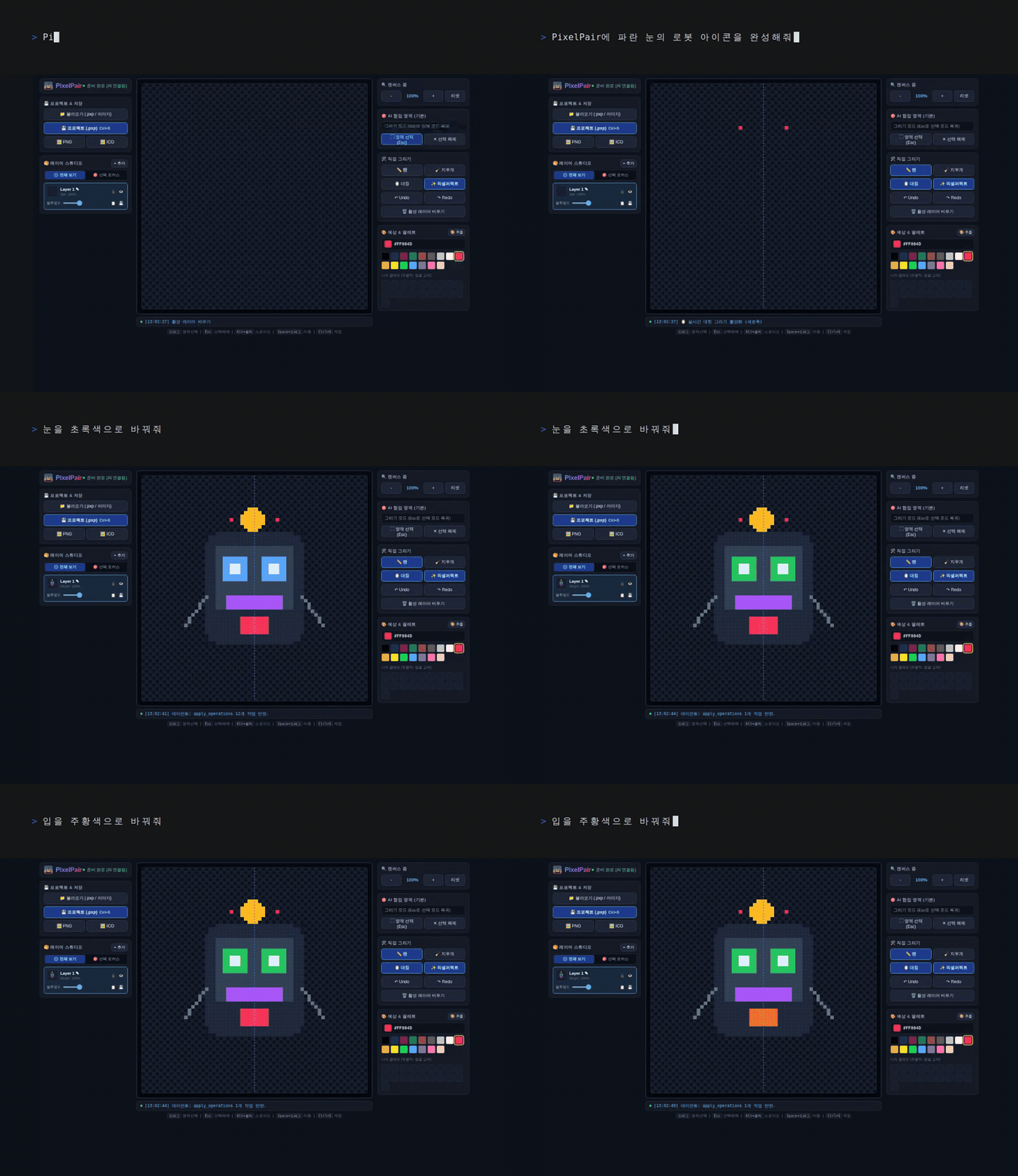
[Demo] Human sketches on web canvas ──▶ MCP Agent inspects & recolors layersGitHub ↗
§ Why PixelPair?
☑
64×64 Real-Time Shared Canvas
Lightweight web UI connected to a local MCP server that syncs pixel changes bidirectionally.
☑
30+ Native MCP Tools
Layer separation, rotation, flipping, palette recoloring, and shape drawing tailored for AI agents.
☑
100% Local-First & Private
No cloud dependencies or trackers. Runs locally on your machine under the MIT License.
☑
Multi-format Asset Export
Export pixel-crisp PNGs, scalable SVGs, and multi-resolution Windows .ICO files with one click.
§ How to Connect via MCP
Claude Code / Codex Config (claude_desktop_config.json):
{
  "mcpServers": {
    "pixelpair": {
      "command": "npx",
      "args": ["-y", "@ddunddun-labs/pixelpair"]
    }
  }
}
Then ask: "Draw a 64×64 retro potion bottle on PixelPair canvas" and watch the artwork unfold live.