Draw 64×64 pixel art with your AI coding agent
Sketch by hand in the browser while Claude Code, Codex, or custom MCP agents inspect the canvas and edit layers, pixels, and colors in real-time.
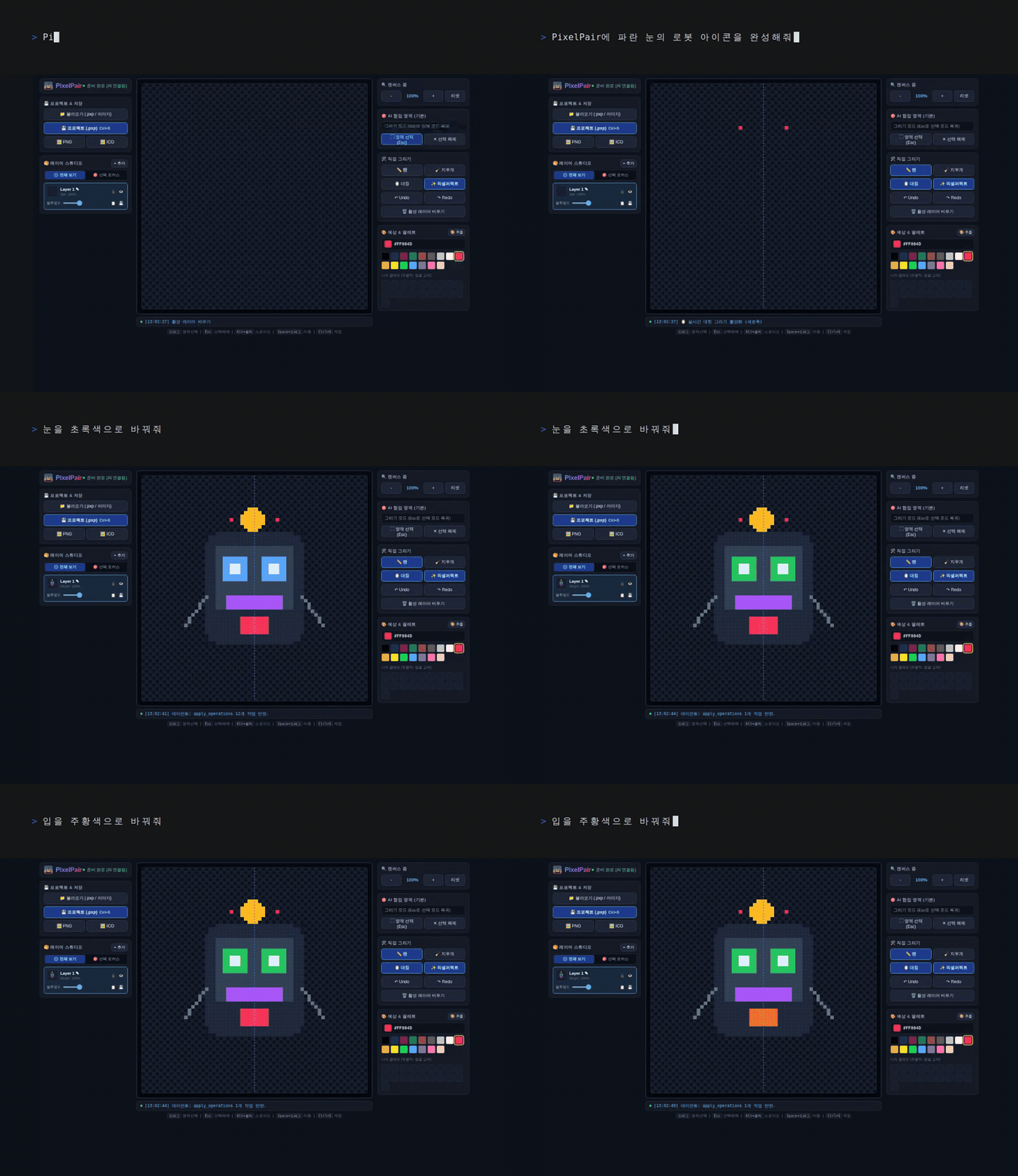
SEAMLESS COLLABORATION LOOP
One Canvas, Two Ways to Edit
The canvas itself becomes the shared context between you and your AI coding agent.
You Draw & Sketch
Paint, erase, select colors, and manage layer stacks directly in your browser.
Agent Inspects Canvas
MCP exposes the live canvas as image content along with layer and selection metadata.
Agent Edits Semantically
Semantic tools draw geometric shapes, transform regions, recolor pixels, and manage layers.
Live Sync & Polish
Edits appear instantly on the shared canvas, ready for your next manual stroke and polish.
POWERFUL & FOCUSED
Built for the Human ↔ Agent Loop
Everything you need for precise pixel art without unnecessary bloated complexity.
Pixel-First Focused Canvas
Layer stack management, symmetry modes, custom palettes, undo/redo history, and nearest-neighbor export—designed specifically for crisp icon and game asset crafting.
Agent-Native Protocol
Seamlessly integrates with Claude Code, Codex, and any Model Context Protocol compliant tool.
100% Local-First
Runs entirely on localhost. No cloud sync dependencies, no telemetry, and zero mandatory cloud accounts.
.PXP Project Files & Crisp Exports
Save complete layer stacks in .PXP files instead of flattened PNGs. Export directly to production-ready PNG and multi-size ICO formats.